 CamCall
In pilot · the first 2 weeks are free
Your old cameras, watched by a system that calls you only when something real happens
Your cameras or recorder send pictures, AI checks them against rules you write in your own words, and you get a message – and a phone call too, for whatever matters most to you.
Thank you! We will contact you soon to set CamCall up with your cameras.
We use your details only to contact you about CamCall. Privacy policy
No payment now. Leave your email and we will contact you to set it up. The first two weeks are free.
Check your camera systemWill it work with your cameras? Find out in a minute, free.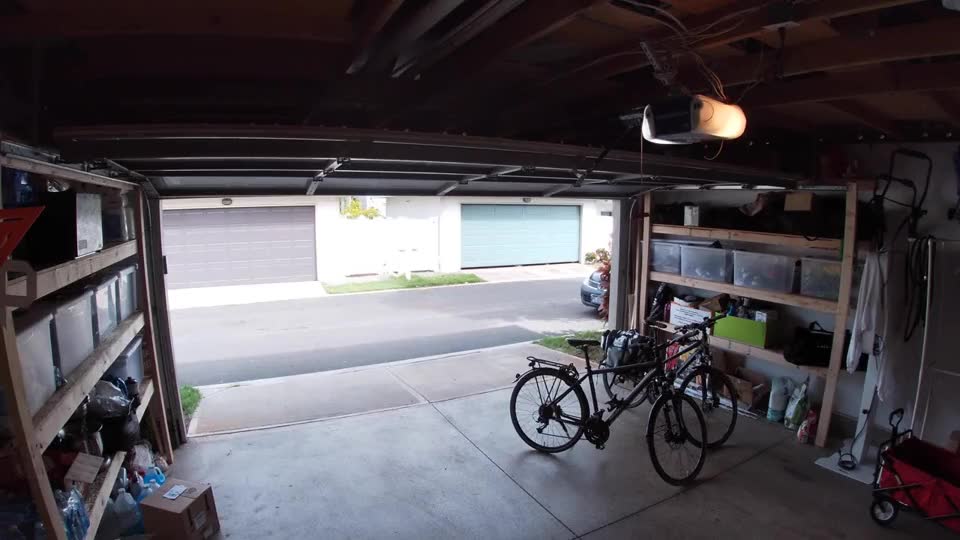
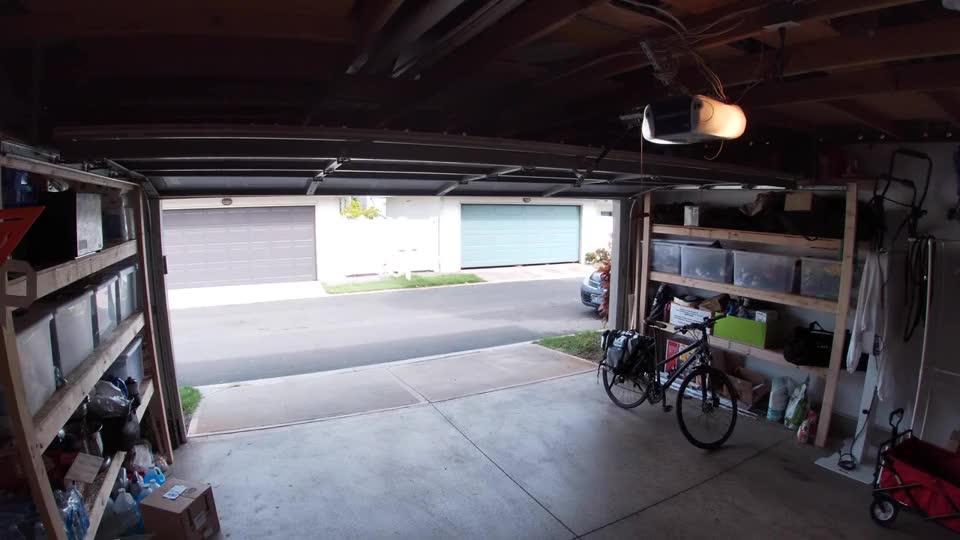
Watching · nothing new
Visit opened · 1 person
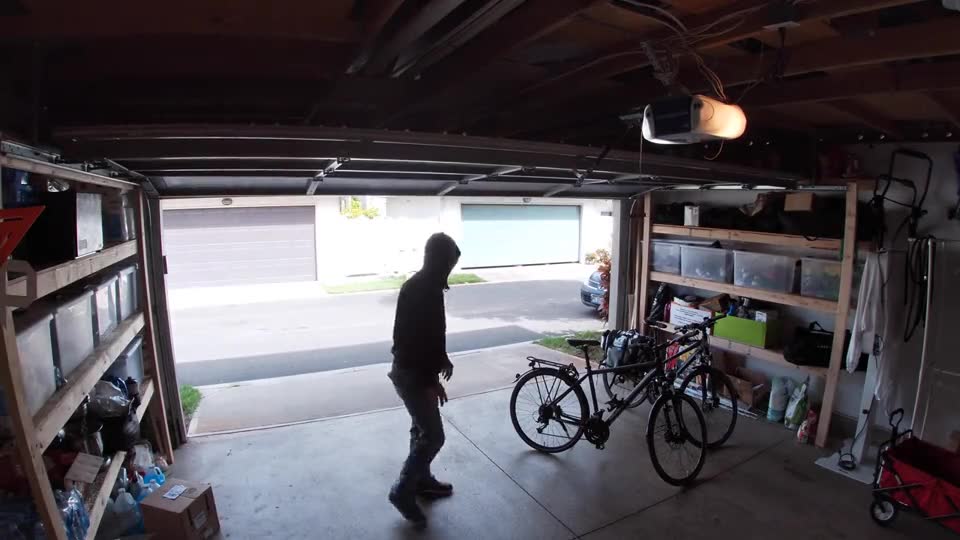
Early check · person at the bicycles
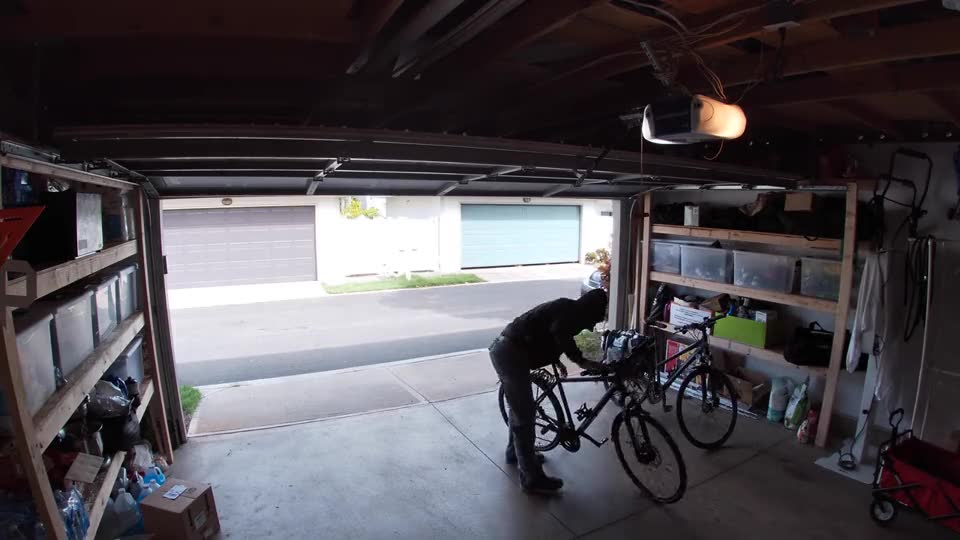
Leaving with a bicycle
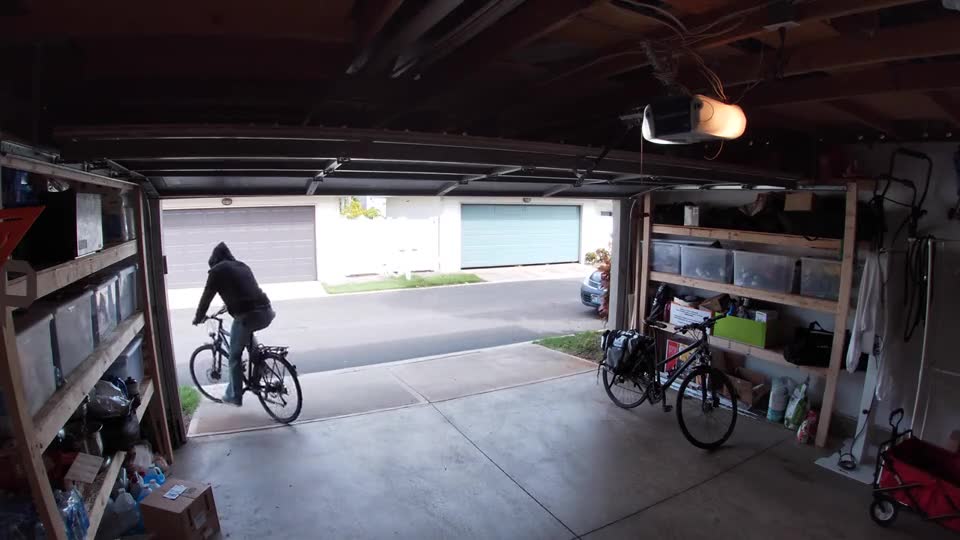
MATCH · Bicycle taken from the garage
A hooded person wheels the black bicycle out; it is gone in the after picture.
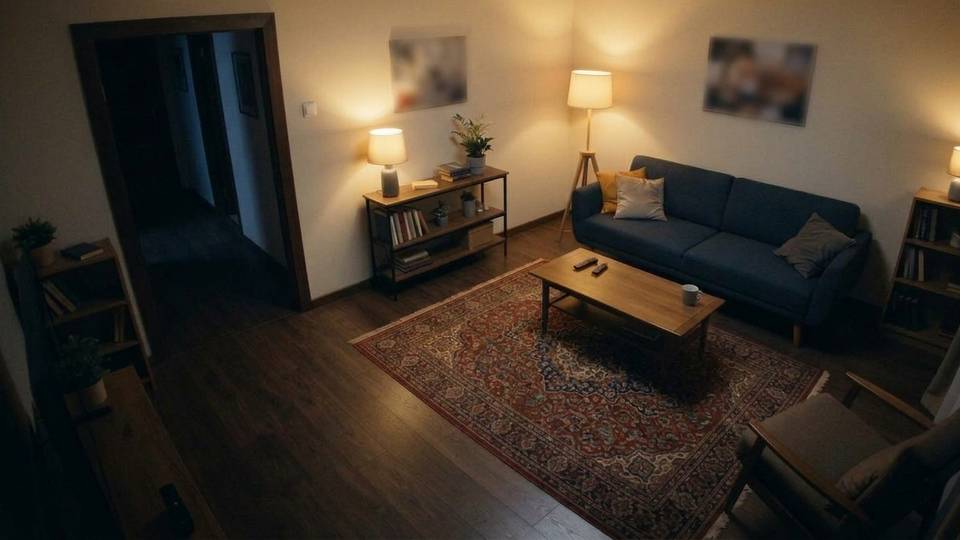
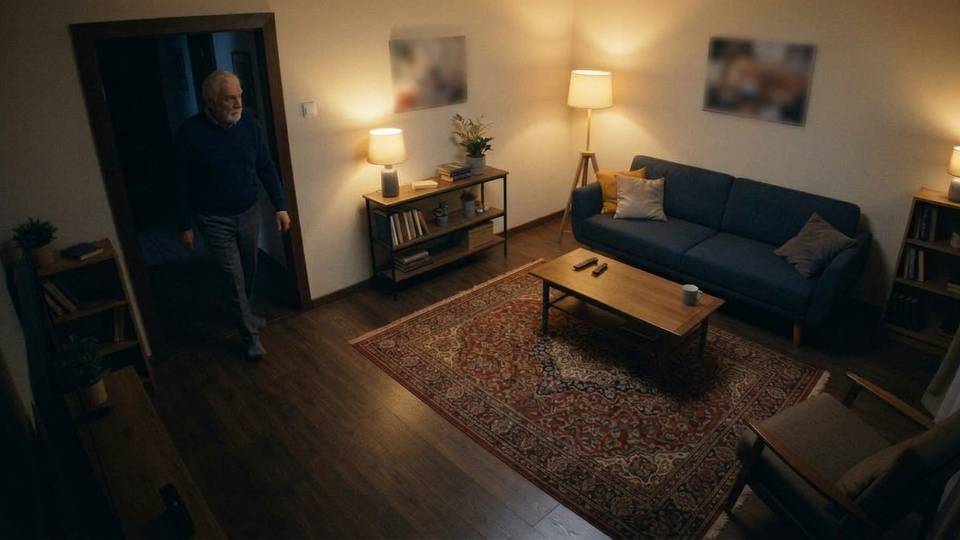
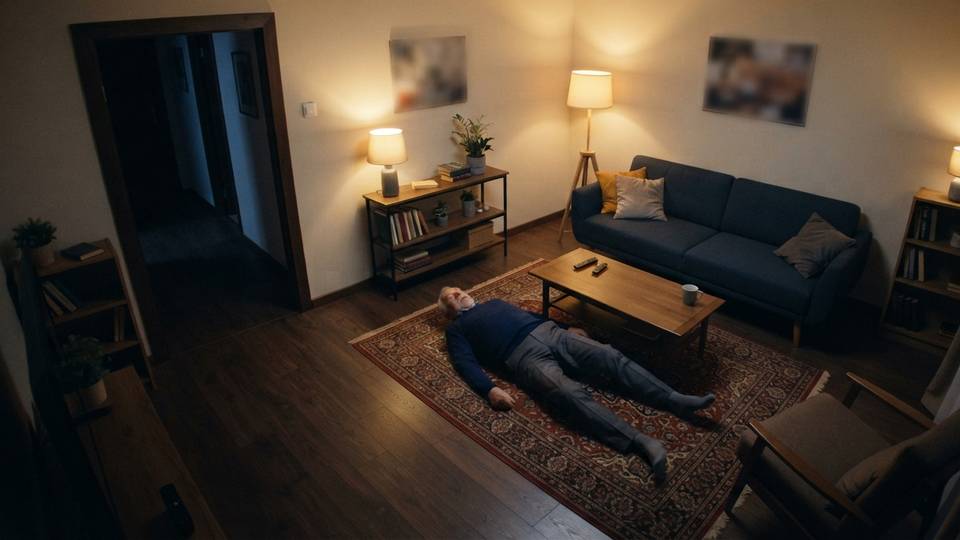
Watching · nothing new
1 person · walks in
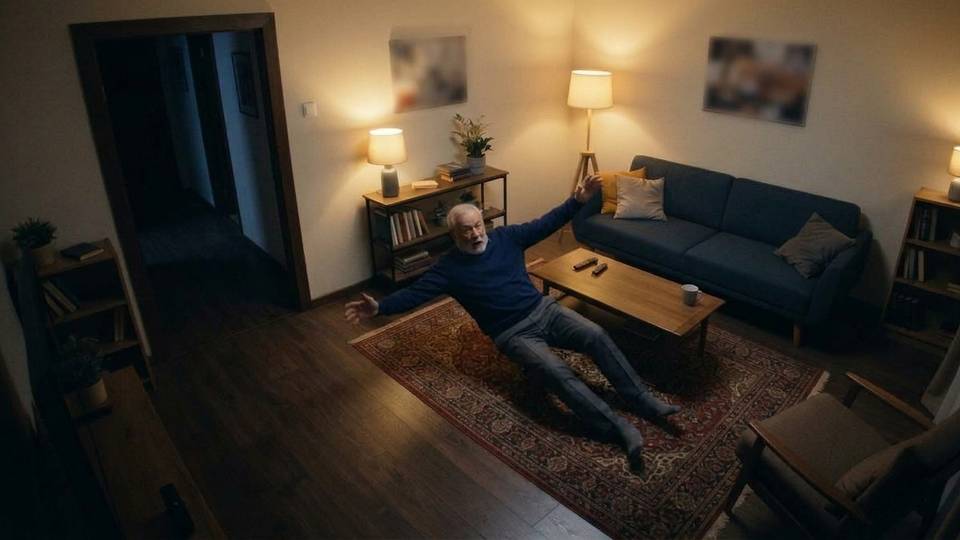
He loses his balance
Checking the rule · on the floor?On the floor?
MATCH · Someone lying on the floorMATCH · On the floor
An elderly man is lying on his back on the rug, next to the coffee table.
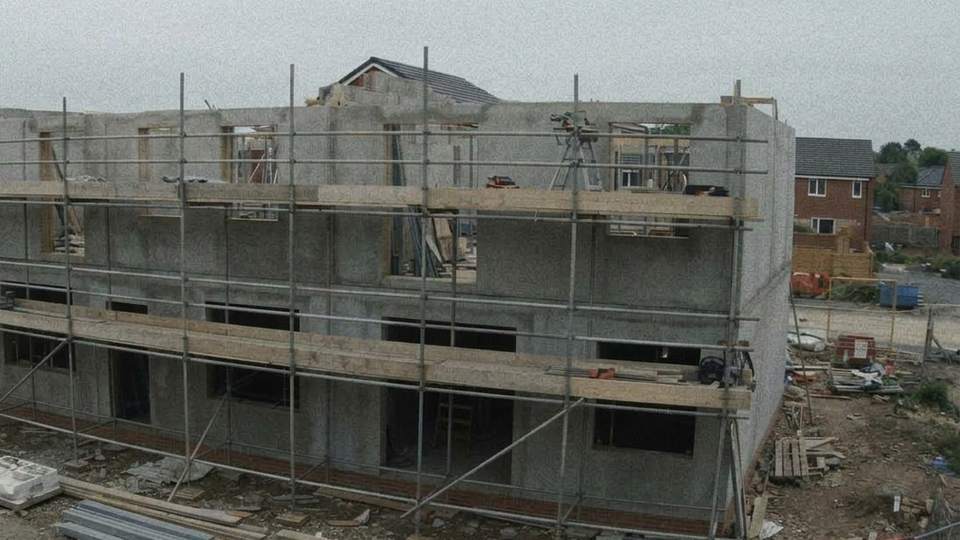
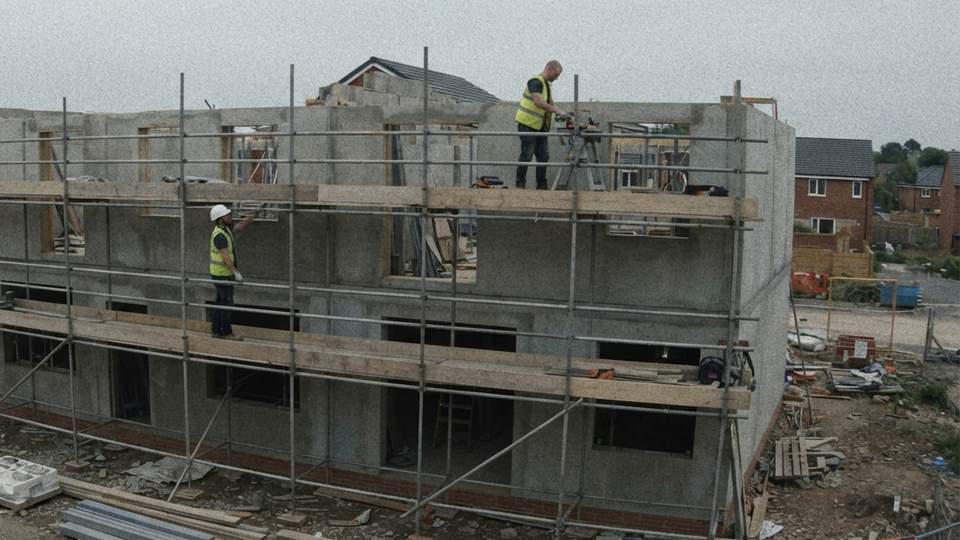
Watching · nothing new
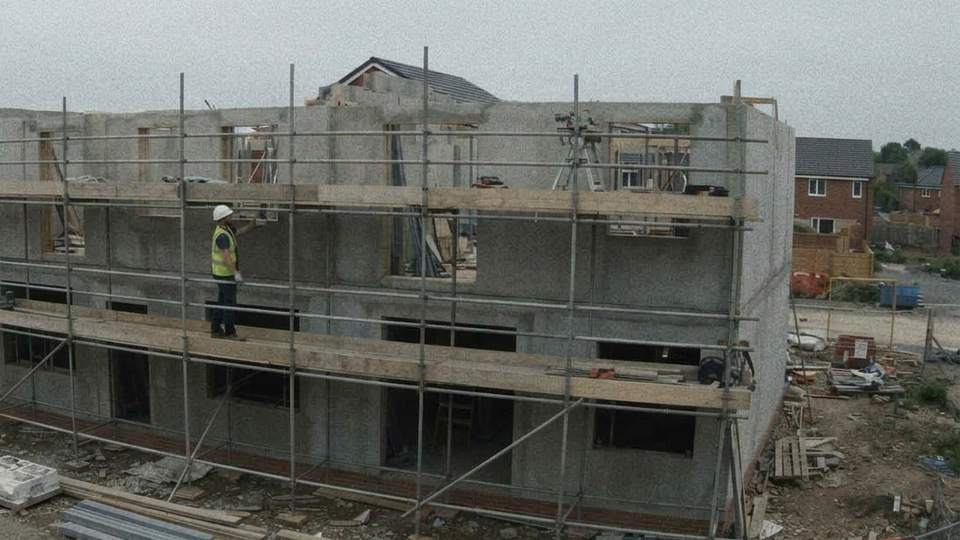
1 person · helmet on · nothing to report
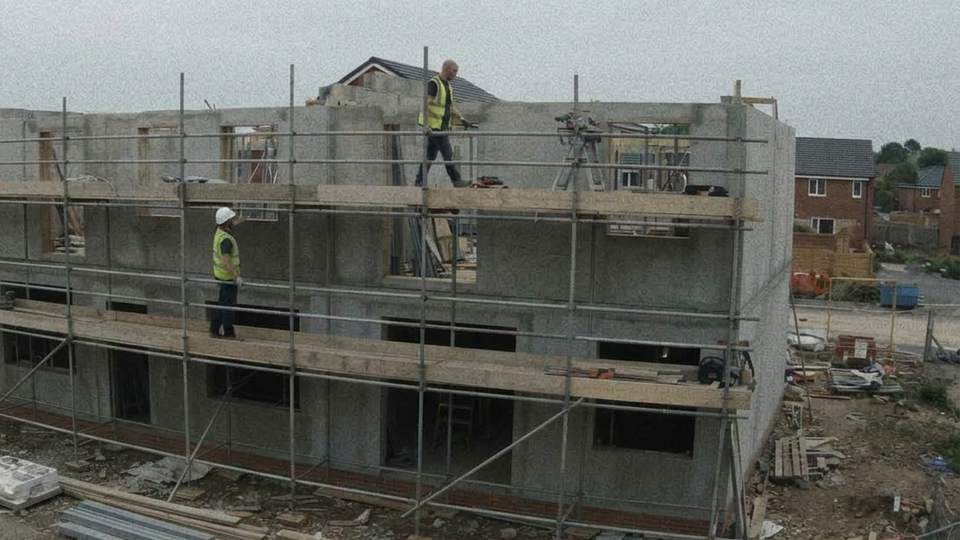
A second person on the scaffold
Checking the rule · a helmet?
MATCH · On the scaffold without a helmet
A man in a hi-vis vest is on the top level of the scaffold without a hard hat.
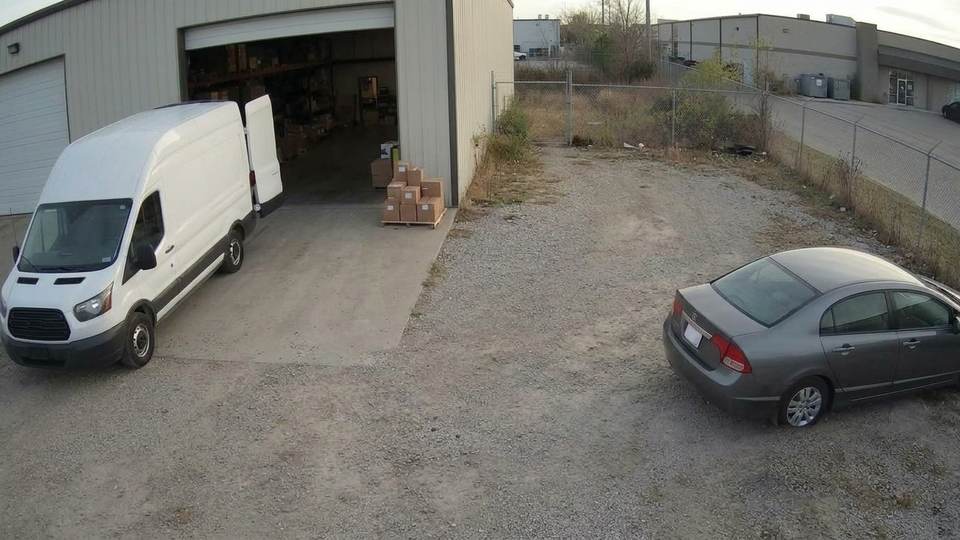
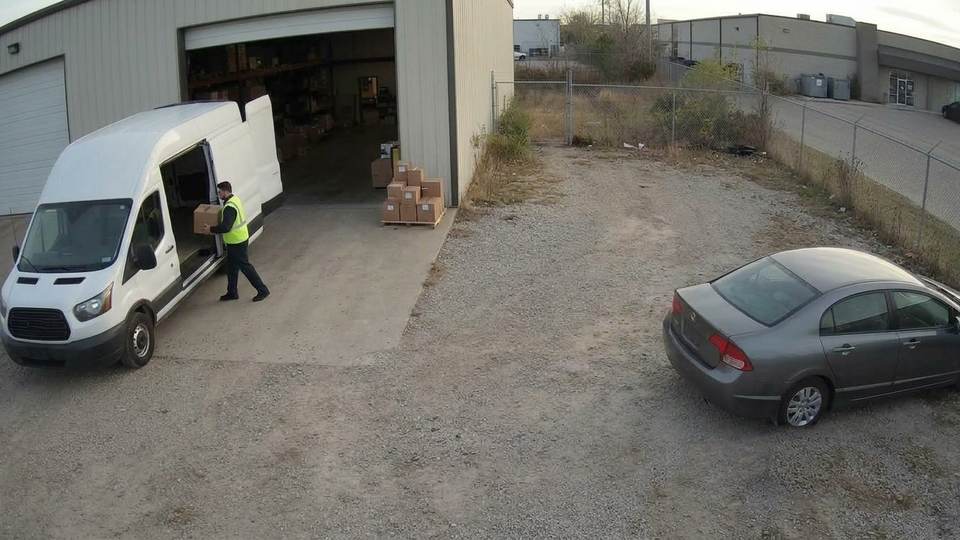
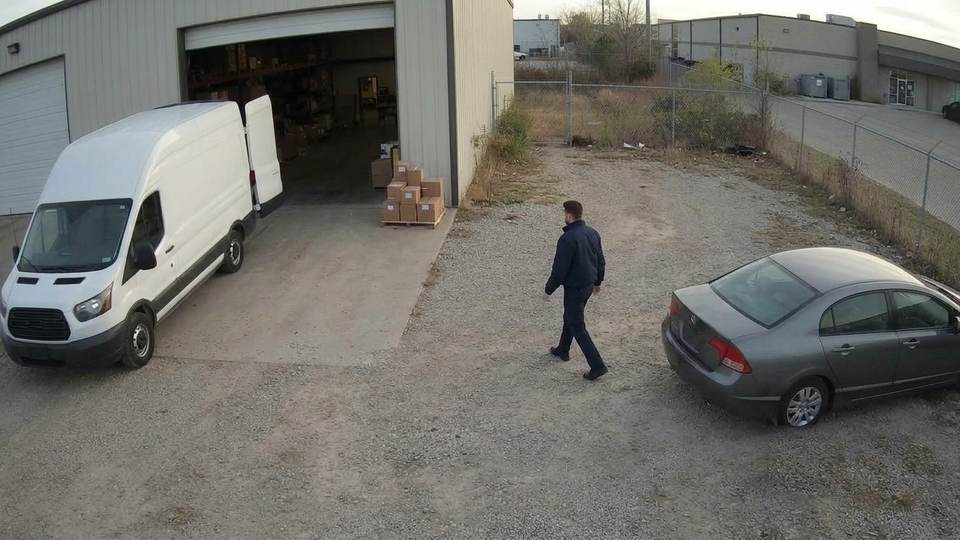
Watching · nothing new
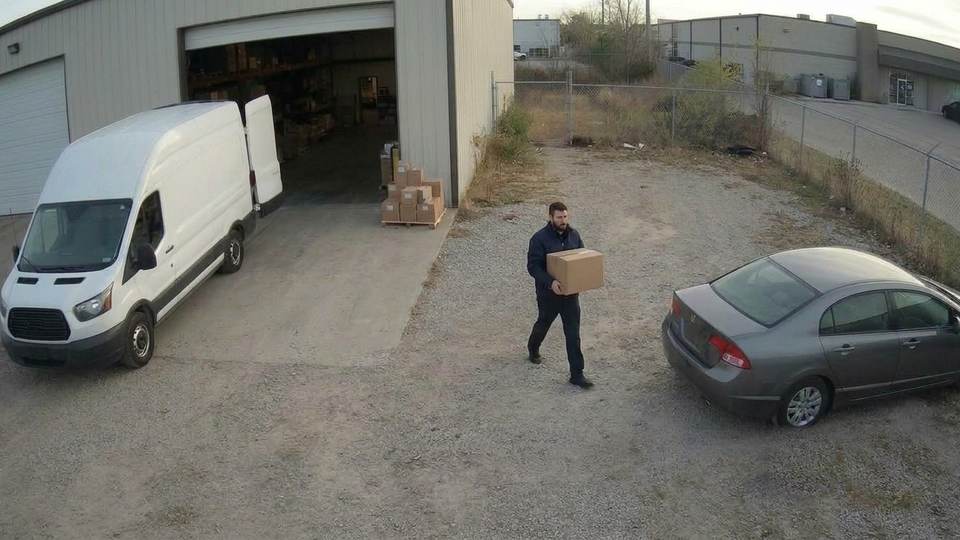
Box into the delivery van · fine
Visit opened · he walks to the boxes
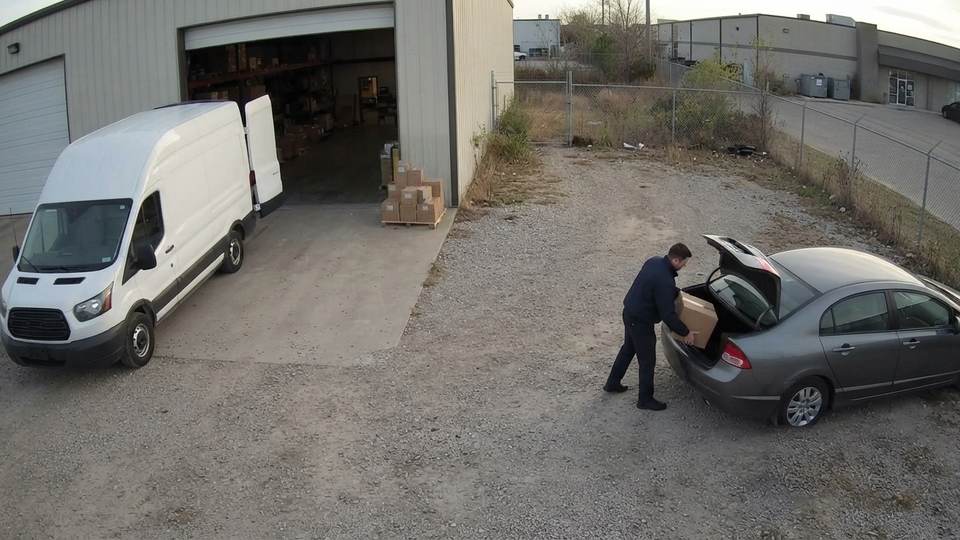
A box from the pallet, toward his car
MATCH · Box taken to a private car
A man puts a box from the pallet into the grey car’s trunk, not into the delivery van.
How it works
No new cameras. No app to install. Your cameras keep doing what they do; CamCall does the watching.
Your cameras send pictures
The cameras or the recorder (DVR or NVR) send pictures by FTP or email, or a small relay on site takes them over RTSP or ONVIF.
CamCall checks them 24/7
It processes the pictures around the clock and watches only for what matters to you, by the rules you made. Before anything is sent, a second AI looks again, to stop false alarms.
You get a call, or a message
A phone call that tells you what happened, or a Telegram message with the pictures of the event. All by the rules you wrote yourself.
Watch CamCall decide
One garage camera, one rule in plain words — “Someone takes a bicycle out of the garage” — and every decision CamCall made, as it made it.
The owner's phone — a real recording.
Stock footage of a staged theft, with early warning switched on for this rule. The pictures went through the live CamCall system; every line, quote and time above is its real output.
Rules in your own words
No complicated settings. Write what matters to you, the way you would explain it to a guard.
RULE ASSISTANT
Not sure how to put it? The assistant writes the rule with you
Write one sentence in the bot. The assistant looks at your cameras’ pictures and writes the whole rule around it: what to look for, the early sign to warn you about, when to call, and the places in the picture it depends on. What it cannot see or guess, it asks, with answers to tap, until the rule is clear. You see the finished rule before you save it, and if you need something it cannot do, we build it with you.
Call me if someone comes in from outside, takes something from the garage and leaves with it
Garage door📍 Garage: is this “Garage door”?
New rule — check it before saving:
⏱ Warn me when: someone who came in through “Garage door” picks something up
📞 Call me when: they leave through “Garage door” with something that was in the garage
📍 Places: Garage door
A RULE CAN BE SIMPLE
“Call me if anyone is in the yard between 23:00 and 06:00”
“Message me if the warehouse gate is still open between 20:00 and 06:00”
OR DESCRIBE A WHOLE SITUATION
“Call me if someone carries boxes from the warehouse to a private car, not to the delivery van”
“Call me if someone takes tools off the building site between 18:00 and 07:00”
RULES FOR WHATEVER MATTERS TO YOU
HOME · LIVING ROOM
“Call me if someone is lying on the floor”
BUILDING SITE
“Message me if anyone on the scaffold has no helmet”
SHOP
“Call me if someone is behind the counter after closing”
FRONT DOOR
“Message me when a package is left at the door”
YARD
“Message me if the dog is outside the gate”
PARKING
“Message me if a car blocks the gate in the morning”
EVERY RULE CAN ALSO HAVE
For an urgent situation rule: a heads-up while it is still happening, then the confirmation. Off by default; it uses extra reviews.
For a situation rule, CamCall suggests where in the picture to look, and you can adjust it.
Try a one-picture rule on your cameras’ latest pictures before you save it.
Your Real and False alarm taps teach each rule. When a better wording is ready, CamCall suggests it and you decide.
Name places on a camera’s picture, such as the door, the sofa or the gate, and write rules about them. The alert shows the place on the picture.
BUILT INTO THE SYSTEM
Fire and smoke: always watched, in case of emergency
Every camera also looks out for fire and smoke, armed or not, with nothing to set up. It is a second line of protection, not a replacement for your smoke detector.
- Our own fire and smoke detector looks at each camera about once a minute, an empty room at night included.
- When it sees something, the AI checks the picture, and then a second, stronger AI looks again.
- You get a message at once. The phone call comes when the second look is sure.
- Included in every plan. These checks are not counted in your camera’s reviews.
Fire or smoke · asking now
Works with the cameras you already have
Cameras, DVRs and NVRs from almost every maker, as long as they support one of the standard protocols.
FTP · EMAIL (SMTP)
Nothing to install
The camera or recorder sends pictures straight to CamCall.
RTSP · ONVIF
A small relay on site
For cameras that support only RTSP or ONVIF, a small device on site takes their pictures and sends them to CamCall. A site with no internet connects through a 4G router with a data SIM. You can bring your own; in Israel we can also supply and install both, at extra cost.
SETUP
Remote setup, or we come to you
Remote setup works anywhere and is much faster. It needs basic computer skills and a remote connection to your camera or recorder. Technician visits are available in Israel, depending on the location and the security situation. Leave your email and we’ll work out together which suits you.
A camera that works only through its maker’s cloud app, with none of these protocols, can’t be connected.
PRICES
$25 to $40+ per camera per month
The price depends on how busy the camera is. You don’t need to know this in advance: the first two weeks are free, CamCall measures each camera, and after one week you can already see its price on your account page (send /account to the bot), well before you pay anything.
Up to 600 reviews a day
$25
per camera per monthUp to 1,000 reviews a day
$30
per camera per monthUp to 1,500 reviews a day
$40
per camera per monthMore than 1,500 a day
$40 + $3
for each extra 100 reviews a day, per monthIncluded in every package
- A Telegram message for every event that is sent
- Phone calls for the rules you choose: up to 60 a month per account
- Fewer false alarms: a second, stronger AI looks again
- As many rules as you like, in your own words
Extras in Israel, priced per site: we supply a relay for cameras that support only RTSP or ONVIF, and a 4G router with a data SIM for a site with no internet. Elsewhere, you bring your own and we set them up with you remotely.
Questions
Do I need new hardware?
Usually not. Most cameras and recorders can send pictures by FTP or email. Those that support only RTSP or ONVIF need a small relay, and a site with no internet needs a 4G router. You can bring your own; in Israel we can supply both, at extra cost. We check yours first.
Can the relay run on a computer we already have?
Yes. Instead of a separate device, the relay can run as a program on a computer, server or NAS that is always on and on the same network as the cameras, in Docker or a small virtual machine. It only sends pictures out; nothing connects to your network from outside. We install and set it up with you remotely.
What does it cost?
From $25 per camera per month, by how many reviews it needs a day: $25 for a quiet camera (up to 600 reviews a day), $30 for an average one (up to 1,000), $40 for a busy one (up to 1,500). A busier camera costs $40 plus $3 for each extra 100 reviews a day. The first two weeks are free, and after one week you can already see each camera’s price, from what was measured, on your account page: send /account to the bot.
What is a review?
One picture the AI checks. Most pictures where nothing has changed are filtered out before the check, so a quiet camera uses few reviews. Pictures your camera itself marks as motion are always checked.
What happens when a camera has used its reviews for the day?
Its pictures are still recorded, but not checked until the next day, and you get one message. Your other cameras keep working.
What happens to the details I leave in the form?
The name, email, phone and number of cameras you fill in on the contact form are used only to contact you about CamCall. They are sent straight to us, not stored on the site, and you can ask us to delete them. About your cameras’ pictures, what is kept and for how long: Privacy policy
Who we are
CamCall is made in Israel by Nikolay Dmitriev. It is in pilot, and I answer every question myself.
WhatsApp 052-637-5142Get set up
Leave your details and we will contact you to connect CamCall to your cameras. There is nothing to pay now.
- We contact youUsually within a day, by phone, WhatsApp or email.
- We connect your camerasRemotely, or with a technician visit in Israel. We check first that your cameras will work.
- Two weeks freeCamCall measures each camera, and after one week you can see its price on your account page (send /account to the bot). You pay only if you decide to continue.
Prefer to talk now? WhatsApp 052-637-5142
Thank you! We will contact you soon.
We use your details only to contact you about CamCall. Privacy policy